|
Online Library -- Project Code Files Page |
|
| Some documents on this page are presented in Adobe Acrobat PDF format. If you don't already have the Acrobat reader, click the icon to the right to visit Adobe's pages at www.adobe.com from whence you can download a FREE copy. | |
|
|
|
|
Note that if you can't find the PIC project code files you're looking for here (if for example they haven't been posted here yet), then you can always find them at the EPE mirror website at the following URL: http://homepages.nildram.co.uk/~starbug/epepic.htm Furthermore, if you can't find the files associated with a particular "Interface" article here, then check out the "Interface" folder at the EPE FTP site as follows: |
|
|
|
|
|
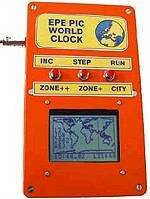
This is where you'll find the files for the "PIC World Clock" project that was presented in the August 2002 issue of EPE Online.
Simply right-click your mouse on worldclock.zip (28KB), select the "Save to disk" option when prompted to do so by your browser, and then unzip this file on your system. |
|
|
|
|
|
This is where you'll find the files for the "StyloPIC" project that was presented in the July 2002 issue of EPE Online.
Simply right-click your mouse on stylopic.zip (6KB), select the "Save to disk" option when prompted to do so by your browser, and then unzip this file on your system. |
|
|
|
|
|
This is where you'll find the files for the "BIOPIC Heartbeat Monitor" project that was presented in the June 2002 issue of EPE Online.
Simply right-click your mouse on biopic.zip (42KB), select the "Save to disk" option when prompted to do so by your browser, and then unzip this file on your system. |
|
|
|
|
|
This is where you'll find the files for the "PIC-Controlled Freezer Alarm" project that was presented in the May 2002 issue of EPE Online.
Simply right-click your mouse on freezer.zip (3KB), select the "Save to disk" option when prompted to do so by your browser, and then unzip this file on your system. |
|
|
|
|
|
This is where you'll find the files for the "PIC Big Digit Display" project that was presented in the May 2002 issue of EPE Online.
Simply right-click your mouse on bigdigit.zip (9KB), select the "Save to disk" option when prompted to do so by your browser, and then unzip this file on your system. |
|
|
|
|
|
This is where you'll find the files for the "PIC-Controlled Intruder Alarm" project that was presented in the April 2002 issue of EPE Online.
Simply right-click your mouse on picalarm.zip (19KB), select the "Save to disk" option when prompted to do so by your browser, and then unzip this file on your system. |
|
|
|
|
|
This is where you'll find the files for the Programming PIC Interrupts article in the March 2002 issue of EPE Online..
Simply right-click your mouse on interrupts.zip (19KB), select the "Save to disk" (or equivalent) option when prompted to do so by your browser, and then unzip this file on your system. |
|
|
|
This is where you'll find the files for the "PIC Virus Zapper" project that was presented in the March 2002 issue of EPE Online.
Simply right-click your mouse on zapper.zip (3KB), select the "Save to disk" option when prompted to do so by your browser, and then unzip this file on your system. |
|
|
|
|
|
This is where you'll find the files for the "PIC Mini-Enigma" project that was presented in the March 2002 issue of EPE Online.
Simply right-click your mouse on minienigma.zip (15KB), select the "Save to disk" option when prompted to do so by your browser, and then unzip this file on your system. |
|
|
|
|
|
This is where you'll find the files for the "PIC Spectrum Analyzer" project that was presented in the February 2002 issue of EPE Online.
Simply right-click your mouse on analyzer.zip (156KB), select the "Save to disk" option when prompted to do so by your browser, and then unzip this file on your system. (Note that you'll also require Visual Basic runtime, which you can obtain by clicking here vbruntime.zip (1.3MB). |
|
|
|
|
| This is where you'll find the files for the "PIC Magick Musick" project described in the January 2002 issue of EPE Online. Simply right-click your mouse on magicmusic.zip (7KB), select the "Save to disk" option when prompted to do so by your browser, and then unzip this file on your system. |
|
|
|
|
|
This is where you'll find the files for the "PIC Polywhatsit" project that was presented in the December 2001 issue of EPE Online.
Simply right-click your mouse on polywhatsit.zip (6KB), select the "Save to disk" option when prompted to do so by your browser, and then unzip this file on your system. |
|
|
|
|
| This is where you'll find the files for the "Synchronous Clock Driver" project described in the September 2001 issue of EPE Online. Simply right-click your mouse on syncclock.zip (2KB), select the "Save to disk" option when prompted to do so by your browser, and then unzip this file on your system. |
|
|
|
|
|
This is where you'll find the files for the "Water Monitor" project that was presented in the September 2001 issue of EPE Online.
Simply right-click your mouse on watermon.zip (10KB), select the "Save to disk" option when prompted to do so by your browser, and then unzip this file on your system. |
|
|
|
|
| This is where you'll find the files for the Digimeter project described in the August 2001 issue of EPE Online. Simply right-click your mouse on digitimer.zip (20KB), select the "Save to disk" option when prompted to do so by your browser, and then unzip this file on your system. |
|
|
|
|
|
This is where you'll find the files for the "PIC to Printer Interface" project that was presented in the July 2001 issue of EPE Online.
Simply right-click your mouse on picprinter.zip (11KB), select the "Save to disk" option when prompted to do so by your browser, and then unzip these files on your system. |
|
|
|
|
|
This is where you'll find the files for the special article on PIC16F87x Extended Memory that was presented in the June 2001 issue of EPE Online.
Simply right-click your mouse on picmem.zip (5KB), select the "Save to disk" option when prompted to do so by your browser, and then unzip these files on your system. |
|
|
| This is where you'll find the files for the PIC Graphics LCD project described in the May 2001 issue of EPE Online. Simply right-click your mouse on gscope.zip (12KB), select the "Save to disk" option when prompted to do so by your browser, and then unzip this file on your system. |
|
|
|
|
|
This is where you'll find the files for the special supplement entitled "How to use graphics LCDs with PICs" that was presented with the February 2001 issue of EPE Online.
Simply right-click your mouse on lcdsupp.zip (16KB), select the "Save to disk" option when prompted to do so by your browser, and then unzip these files on your system. Note that this ZIP file itself contains another ZIP file along with a text file. |
|
|
|
|
| This is where you'll find the files for the PIC-Monitored Dual PSU project described in the December 2000 issue of EPE Online. Simply right-click your mouse on picmonpsu.zip (7KB), select the "Save to disk" option when prompted to do so by your browser, and then unzip this file on your system. |
|
|
|
|
| This is where you'll find the files for the PICtogram project described in the Special Christmas Supplement for the December 2000 issue of EPE Online. Simply right-click your mouse on pictogram.zip (3KB), select the "Save to disk" option when prompted to do so by your browser, and then unzip this file on your system. | |
|
|
|
|
This is where you'll find the files for the PIC-based Pulsometer project described in the November 2000 issue of EPE Online.
Simply right-click your mouse on pulsometer.zip (10KB), select the "Save to disk" option when prompted to do so by your browser, and then unzip these files on your system. |
|
|
|
|
| This is where you'll find the files for the PIC-based Dual Channel Virtual Oscilloscope project described in the October 2000 issue of EPE Online. Simply right-click your mouse on picvscope1v1.zip (27KB), select the "Save to disk" option when prompted to do so by your browser, and then unzip these files on your system. |
|
|
|
|
| This is where you'll find the files for the INTERFACE article (Digital and Analog Temperature PC Interface) described in the October 2000 issue of EPE Online. Right-click your mouse on each of the following files, select the "Save to disk" option when prompted to do so by your browser, and then unzip these files on your system: inpout32.zip (19KB), temperature.zip (8KB), resistance.zip (1KB) | |
|
|
|
|
This is where you'll find the files for the PIC-based remote control IR decoder project described in the Sept 2000 issue of EPE Online.
Simply right-click your mouse on irdecodev2.zip (126KB), select the "Save to disk" option when prompted to do so by your browser, and then unzip these files on your system. Note that this ZIP file itself contains another ZIP file along with a text file. |
|
|
|
|
|
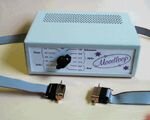
This is where you'll find the files for the EPE Moodloop project described in the August 2000 issue of EPE Online.
Simply right-click your mouse on moodloop.zip (3KB), select the "Save to disk" option when prompted to do so by your browser, and then unzip these files on your system. |
|
|
|
|
|
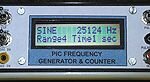
This is where you'll find the files for the PIC-based PIC-Gen frequency generator/counter project described in the July 2000 issue of EPE Online.
Simply right-click your mouse on picgen.zip (7KB), select the "Save to disk" option when prompted to do so by your browser, and then unzip these files on your system. |
|
|
|
|
|
Here are the files for the Canute Tide Predictor project described in the June 2000 issue of EPE Online.
Simply right-click your mouse on tide.zip (16 KB), select the "Save to disk" option when prompted to do so by your browser, and then unzip these files on your system. |
|
|
|
|
|
This is where you'll find the files for the Multi-Channel Transmission System project described in the May and June 2000 issues of EPE Online.
Simply right-click your mouse on multichannel.zip (7KB), select the "Save to disk" option when prompted to do so by your browser, and then unzip these files on your system. Note that this ZIP file itself contains another ZIP file along with a text file. |
|
|
|
|
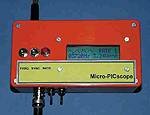
Here are the files for the Micro PICscope project described in the April 2000 issue of EPE Online.
Simply right-click your mouse on picscope.zip (9 KB), select the "Save to disk" option when prompted to do so by your browser, unzip these files on your system, and peruse the *.txt file for more details. |
|
|
|
|
![]() |
Here are the files for the PIC ICEbreaker project described in the March 2000 issue of EPE Online.
Simply right-click your mouse on icebreak.zip (325KB), select the "Save to disk" option when prompted to do so by your browser, and then unzip these files on your system. Note that this ZIP file itself contains another ZIP file along with a couple of text files. |
|
|
|
|
Here are the files for the PIC Video Cleaner project described in the February 2000 issue of EPE Online (rev 3V2, modified 6 Mar 2000).
Simply right-click your mouse on videocleaner.zip (5 KB), select the "Save to disk" option when prompted to do so by your browser, unzip these files on your system, and peruse the *.txt file for more details. |
|
|
|
|
|
Here's the Y2K patch for your PC as described in Alan Winstanley's NetWork article in the Jan 2000 issue of EPE Online.
Right-click your mouse on year2000.zip (9KB), select the "Save to disk" option and unzip these files on your system. Note that this ZIP file itself contains another ZIP file along with a text file containing instructions (make sure you read them :-) |
|
|
|
|
Here are the files for the PIC Micro-Probe project described in the December 1999 issue of EPE Online.
Simply right-click your mouse on microprobe.zip (14 KB), select the "Save to disk" option when prompted to do so by your browser, and then unzip these files on your system. Note that this ZIP file itself contains another ZIP file along with a couple of text files. |
|
|
|
|
|
Here are the programs to accompany the 10-part Teach-In 2000 series that commenced in the November 1999 issue of EPE Online.
Right-click your mouse on teach2000.zip (335KB), select the "Save to disk" option and unzip these files on your system. Note that this ZIP file itself contains another ZIP file along with a text file containing instructions (and a couple of other files). |
|
|
|
|
Here are the files for the Ginormous Stopwatch project described in the November and December 1999 issues of EPE Online.
Simply right-click your mouse on stopw2.zip (15 KB), select the "Save to disk" option when prompted to do so by your browser, and then unzip these files on your system. Note that this ZIP file itself contains another ZIP file along with a couple of text files. |
|
|
|
|
|
Here are the files for the Interior Lamp Delay project described in the October 1999 issue of EPE Online.
Simply right-click your mouse on intlight.zip (15KB), select the "Save to disk" option when prompted to do so by your browser, and then unzip these files on your system. |
|
|
|
|
Here are the files for the PIC-based 8-Channel Analog Data Logger described in the August and September 1999 issues of EPE Online.
Simply right-click your mouse on dataloggerv2.zip (22 KB), select the "Save to disk" option when prompted to do so by your browser, and then unzip these files on your system. Note that this ZIP file itself contains another ZIP file along with a couple of text files. |
|
|
|
|
|
Here are the files for the EPE Mood PICker described in the July 1999 issue of EPE Online.
Simply right-click your mouse on moodpick.zip (4KB), select the "Save to disk" option when prompted to do so by your browser, and then unzip these files on your system. |
|
|
|
|
Here are the files for the PIC-based Sundial described in the June 1999 issue of EPE Online.
Simply right-click your mouse on sundial.zip (10 KB), select the "Save to disk" option when prompted to do so by your browser, and then unzip these files on your system. |
|
|
|
|
|
Here are the files for the PIC Toolkit Mk2 described in the May 1999 issue of EPE Online (see this issue for installation instructions).
Simply right-click your mouse on pictool2v4c.zip (154KB - revision 2V4C updated 10 Feb 2001) select the "Save to disk" option when prompted to do so by your browser, and then unzip these files on your system. Note that this ZIP file itself contains another ZIP file along with some text files. Also note that this file contains Version 2v4 of the code as described in the Sept '99 and Nov '00 issues. |
|
|
|
|
Here are the files for the PIC-based Handbells described in the May 1999 issue of EPE Online.
Simply right-click your mouse on handbell.zip (3 KB), select the "Save to disk" option when prompted to do so by your browser, and then unzip these files on your system. |
|
|
|
|
|
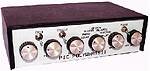
Here are the files for the PIC-based Versatile Event Counter project described in the April 1999 issue of EPE Online.
Simply right-click your mouse on ecounter.zip (11KB), select the "Save to disk" option when prompted to do so by your browser, and then unzip these files on your system. |
|
|
|
|
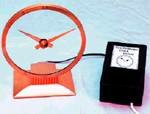
Here are the files for the PIC-based Time and Date Generator described in the March 1999 issue of EPE Online.
Simply right-click your mouse on timedate.zip (11KB), select the "Save to disk" option when prompted to do so by your browser, and then unzip these files on your system. |
|
|
|
|
|
Here are the files for the PIC-based Wireless Monitoring System described in the February 1999 issue of EPE Online.
Simply right-click your mouse on wless.zip (478KB), select the "Save to disk" option when prompted to do so by your browser, and then unzip these files on your system. Note that this ZIP file itself contains another ZIP file along with a text file containing instructions. |
|
|
|
|
|
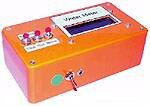
Here are the files for the PIC-based MIDI sustain and glissando effects pedal project described in the February 1999 issue of EPE Online.
Simply right-click your mouse on midipedl.zip (3KB), select the "Save to disk" option when prompted to do so by your browser, and then unzip these files on your system. |
|
|
|
|
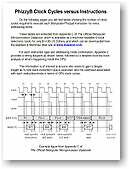
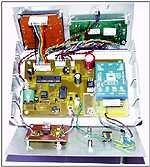
Part 4 of the PhizzyB series (appearing in the February 1999 issue of EPE Online) was where things really started to buzz along, because this is where we introduces the concepts of interrupts and interrupt service routines and compared polled and interrupt-driven devices.
During the course of this article we posed a simple problem to create a program that performed a binary count whilst continuing to check the state on a polled input device. As promised, here's one solution (in the PhizzyB's assembly language) along with some notes. Right-click your mouse on ccextra1.zip (3KB), select the "Save to disk" option when prompted to do so by your browser, and then unzip these files on your system. |
|
|
|
|
|
Here are the files for the PIC-based Fading Christmas Lights project described in the December 1998 issue of EPE Online.
Simply right-click your mouse on xmaslite.zip (4KB), select the "Save to disk" option when prompted to do so by your browser, and then unzip these files on your system. |
|
|
|
|
Here are the files for the PIC-based Mind Pickler project described in the December 1998 issue of EPE Online.
Simply right-click your mouse on mindpick.zip (5KB), select the "Save to disk" option when prompted to do so by your browser, and then unzip these files on your system. |
|
|
|
|
|
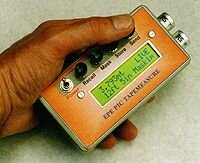
The PIC-based ultrasonic tape measure constructional article in the November 1998 issue of EPE Online referred to the program files TAPE99 (the standard version) and TAPE100 (the extended version).
Simply right-click your mouse on tape.zip (15KB), select the "Save to disk" option when prompted to do so by your browser, and then unzip these files on your system. |
|
|
|
|
|
| Copyright & Contact Info |
Return to the EPE Online home page! |